 TORRAS FlexLine 40W Dual-Port USB C Charger
Code
Check price on Amazon 
Updated Monday, October 26, 2026 · 68 deals · newest first. Tap a code to copy it, then open the deal for how to apply it.
A charger block is the part of the setup that plugs into the wall, and on Amazon it ranges from thumb-sized single-port cubes for an iPhone to multi-port GaN bricks strong enough for a laptop. Some listings bundle a stack of long cables, others sell two-packs of identical blocks for different rooms.
Most charger block deals here carry seller promo codes, which makes this one of the more code-heavy hubs on the site. Before applying one, match the total wattage and port mix to the devices you plan to plug in together, check the plug style for travel, and confirm the final total in the cart.
TORRAS FlexLine 40W Dual-Port USB C Charger
 TORRAS FlexLine 67W Dual-Port USB C Charger
 TORRAS FlexLine 40W Dual-Port USB C Charger
 GEARit 100W USB C Charger Block
 TORRAS FlexLine 40W Dual-Port USB C Charger
 Hichain 45W USB C Charger Block
 wegear 100W GaN USB C Charger Block
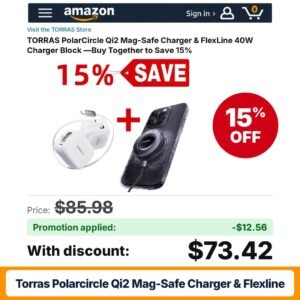 TORRAS PolarCircle Qi2 Mag-Safe Charger & FlexLine
 TORRAS PolarCircle Qi2 Mag-Safe Charger & FlexLine
 TORRAS PolarCircle Qi2 Mag-Safe Charger & FlexLine
 TORRAS FlexLine 40W Dual-Port USB C Charger
 TORRAS FlexLine 40W Dual-Port USB C Charger
TORRAS FlexLine 40W Dual-Port USB C Charger
TORRAS FlexLine 40W Dual-Port USB C Charger
 TORRAS FlexLine 40W Dual-Port USB C Charger
 TORRAS FlexLine 67W Dual-Port USB C Charger
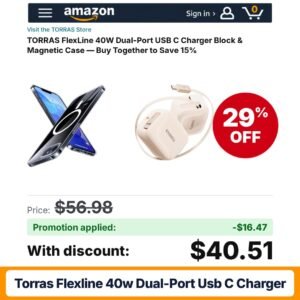 TORRAS FlexLine 40W Dual-Port USB C Charger
 TORRAS FlexLine 40W Dual-Port USB C Charger
 TORRAS FlexLine 40W Dual-Port USB C Charger
 TORRAS FlexLine 67W Dual-Port USB C Charger
 TORRAS FlexLine 40W Dual-Port USB C Charger
 TORRAS FlexLine 67W Dual-Port USB C Charger
 TORRAS FlexLine 40W Dual-Port USB C Charger
 TORRAS FlexLine 40W Dual-Port USB C Charger
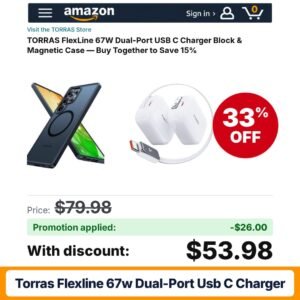 TORRAS FlexLine 67W Dual-Port USB C Charger
 TORRAS FlexLine 40W Dual-Port USB C Charger
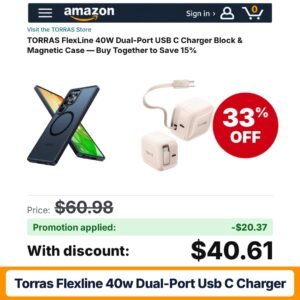 TORRAS FlexLine 40W Dual-Port USB C Charger
 TORRAS FlexLine 67W Dual-Port USB C Charger
 TORRAS FlexLine 67W Dual-Port USB C Charger
 TORRAS FlexLine 40W Dual-Port USB C Charger
 TORRAS FlexLine 67W Dual-Port USB C Charger
 TORRAS FlexLine 67W Dual-Port USB C Charger
 TORRAS FlexLine 67W Dual-Port USB C Charger
 TORRAS FlexLine 40W Dual-Port USB C Charger
 TORRAS FlexLine 67W Dual-Port USB C Charger
 TORRAS FlexLine 67W Dual-Port USB C Charger
 TORRAS FlexLine 40W Dual-Port USB C Charger
 TORRAS FlexLine 40W Dual-Port USB C Charger
 TORRAS FlexLine 40W Dual-Port USB C Charger
 TORRAS FlexLine 40W Dual-Port USB C Charger
 TORRAS FlexLine 40W Dual-Port USB C Charger
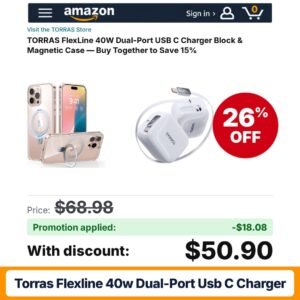 TORRAS FlexLine 40W Dual-Port USB C Charger
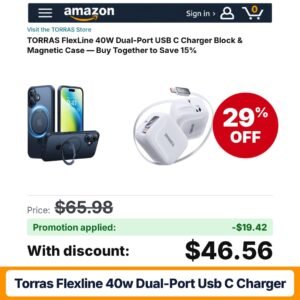 TORRAS FlexLine 40W Dual-Port USB C Charger
 TORRAS FlexLine 40W Dual-Port USB C Charger
 TORRAS FlexLine 40W Dual-Port USB C Charger White
 TORRAS FlexLine 40W Dual-Port USB C Charger
 TORRAS FlexLine 40W Dual-Port USB C Charger
 TORRAS FlexLine 40W Dual-Port USB C Charger
 TORRAS FlexLine 40W Dual-Port USB C Charger White
Choosing a wall charger is mostly a math exercise. Add up what you want to charge at the same time, check how much each device can accept, and look for a block whose per-port output and total output cover that combination. A phone alone may need a modest single-port cube, while a laptop, tablet and phone sharing one outlet call for a higher-watt multi-port unit. Buying far more power than you need adds size and usually cost without making a single phone charge faster.
Next, look at the port layout. USB-C ports with Power Delivery handle most modern phones, tablets and many laptops. USB-A ports remain useful for older cables, earbuds and accessories. Many blocks mix both, so count how many of each you will actually use.
Tiny chargers such as the TORRAS IceNano focus on one USB-C port with enough output for a phone or small tablet, often with a foldable plug for pockets and bags.
Higher-watt bricks from brands such as MFish and Baseus use GaN components to fit more power into a smaller shell and spread it across three or four ports, aimed at laptops plus phones.
Listings that bundle two identical blocks suit households that want one by the bed and one at a desk.
Sets that include several USB-C cables in different lengths, such as 3, 6 and 10 ft, help when you are replacing worn cords at the same time.
Five-port cubes with a mix of USB-C and USB-A outputs act as small charging stations for families and shared desks.
| Type | Best for | What to check |
|---|---|---|
| Single-port mini cube | One phone, travel pockets | Output wattage, plug folding |
| GaN multi-port brick | Laptop plus phone setups | Per-port split when several ports are used |
| Two-pack bricks | Several rooms in one home | Port mix on each block |
| Block with cables | Replacing old cords too | Cable ends and lengths included |
| Five-port cube | Shared desks, family charging | Single-port max versus total output |
Plug higher-watt blocks directly into a wall outlet or a power strip, and give them some airflow rather than burying them under pillows or bedding. When charging a laptop and phone together, connect the laptop to the port the listing marks as the highest output. If a device charges slowly, try a different cable before blaming the block, since a low-rated cord is a frequent bottleneck. Keep the packaging until you have confirmed everything works with your gear.
For travel, a single compact multi-port brick can replace a pile of separate chargers, which frees space in a carry-on and means only one outlet is needed in a hotel room. Foldable prongs keep the block from scratching other items in a bag. On a desk, a block with enough USB-C ports for a laptop, phone and earbuds cuts cable clutter. If you plan to take a block abroad, read the listing for its supported input voltage and remember you may still need a plug adapter for local outlets.
Charging accessories are discounted often, but the deepest markdowns usually land around Prime Day in July, Prime Big Deal Days in October, and the Black Friday and Cyber Monday period. Back-to-school season brings deals on laptop-class bricks for students. New phone launches in the fall also tend to bring fresh listings with launch codes as sellers compete for attention.
Charger blocks are among the most code-friendly items on Amazon. Many listings carry a seller promo code, a clip coupon, or both. The coupon applies once you tick the box on the product page; the code is entered in the promotion field at checkout. The seller decides whether the two combine, so do not assume both will apply. Subscribe and Save is not typically offered for chargers.
To confirm the real total, select the color and pack size, clip any coupon, add the item to your cart, enter the code and review the order summary. If the code is rejected, recheck that you picked the exact variant named in the promotion terms and that the code has not reached its usage limit.
Add up what you want to charge at the same time. A phone alone needs far less than a laptop. For a laptop, match or exceed the wattage its own charger provides. For multi-device setups, check the per-port chart so each device gets enough when several are plugged in.
GaN refers to gallium nitride components that let chargers deliver more power in a smaller body. That is why many compact multi-port laptop bricks use it. It mainly affects size and efficiency; you still need to check the wattage and port layout for your devices.
Many shoppers do. A USB-C PD block negotiates with each device, and a phone draws only the rate it supports, so it will not charge faster than its own limit. Check the listing's compatibility notes, use a suitable cable and follow the seller's instructions.
Codes are often tied to a specific color, pack size or seller, and some are limited to one use per account. Make sure the variant in your cart matches the promotion terms on the listing, then re-enter the code at checkout and check the order summary.
It can be if you need chargers in more than one room. Divide the total by the number of blocks and compare with a single-unit listing. Also check that each block in the pack has the ports and output you need, since bundles sometimes use smaller models.
As an Amazon Associate, FindsCheaper earns from qualifying purchases. Promo codes and coupons are set by sellers, can sell out or end early, and the final price is always the one shown in your Amazon cart.